This page covers the live Business Management v1 and v2 APIs and the Online Booking API. Start with a Partner Token, then choose the User Token that represents either your installed application or your own Business User.
For an AI-assisted Integrations Hub application workflow, see the Integrations Hub MCP. Its hosted connection uses your Altegio sign-in; this page explains credentials for direct REST calls.
- Sign in to Altegio and open the Marketplace.
- Click Developer account and complete the developer registration. You can also open the Developer Account registration page directly.
- Open Account settings → Account details. Your Partner Token appears automatically after registration; you do not need to generate it.
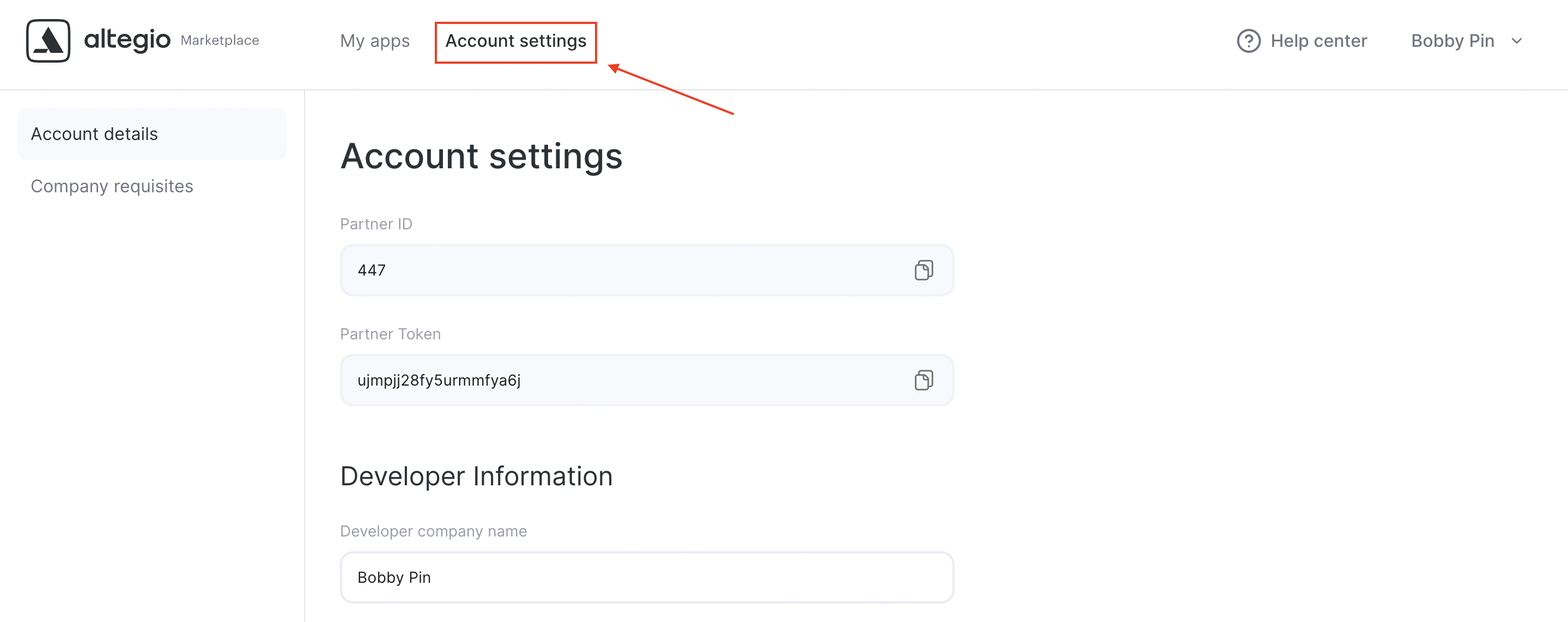
The Partner Token is the bearer credential used by both public and business APIs:
Authorization: Bearer <partner_token>Business-data endpoints also need a User Token. There are two supported scenarios.
Use this route when you are building an application that businesses install from the Marketplace:
- In Developer account, create the application.
- Open its API Access settings. Enter the User ID of the user that will act as the application's system user and save it. The User Token field then shows the token to use for this application.
- Configure the credentials, access rights, and connection settings the application needs before installation.
- Install and activate the application on a test Location. The system-user token can access that Location after the installation reaches
active.
You do not have to use the application's system-user token. Call POST /auth with your own Altegio login and password, together with the Partner Token:
curl -X POST \
  'https://api.alteg.io/api/v1/auth' \
  -H 'Accept: application/vnd.api.v2+json' \
  -H 'Authorization: Bearer <PARTNER_TOKEN>' \
  -H 'Content-Type: application/json' \
  -d '{"login":"you@example.com","password":"<YOUR_PASSWORD>"}'
Copy data.user_token from the 201 response. See the full Authorize User reference. No application installation is needed for this route, but the Business User must already belong to the Location you want to access. Reauthorize after changing the user's password because the token is regenerated.
The two User Tokens can have different access. An application's system user receives the Locations and access rights configured for the application after it is installed. A token returned by
POST /authuses the Locations and permissions of the Business User who signed in. Do not assume they are interchangeable.
Send the Partner Token and your chosen User Token in one header for business-data requests:
Authorization: Bearer <partner-token>, User <user-token>Partner-only endpoints, including Online Booking methods that do not act as a Business User, use only Authorization: Bearer <partner-token>. Check the security requirements shown on each operation.
Stuck? Email us at api@alteg.io with:
- A screenshot from Postman showing: URL, Method, Headers, and Response
- The request body (as JSON or text)
- Both tokens separately (don't paste them in the screenshot)
- Integrations Hub MCP — connect an AI client to the application lifecycle tools
- API documentation start page — choose the right onboarding route
- Install & test your app before moderation — get your app onto a test location
- Developer Account registration
- Access to the API — configure the system user and application rights
- API Documentation
- Online Booking & Client Personal Cabinet v1
- Scheduling, POS & Administrative v1
- Scheduling, POS & Administrative v2
- Developer Tools v1
- API License Agreement